[카테고리:] English

  • Before Connecting ChatGPT to Google Drive: What Documentation Can—and Cannot—Tell You

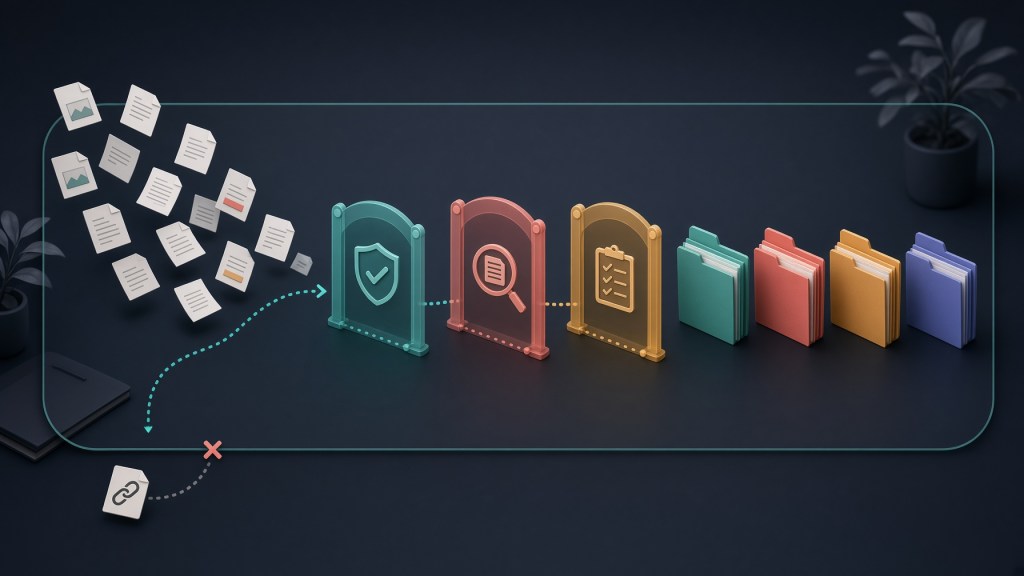
    Abstract illustration of a connection line paused before three separate boundaries and a closed document container
    What you grant, what is used, and what remains after disconnecting are separate questions. This image was generated using Grok Imagine.

    For this article, I did not click Connect. I stopped because there was no record that a test-only account, a private test file, and an environment isolated from other access routes were ready. I did not open an account or login screen, test an OAuth flow, view a consent screen, change permissions, retrieve a file, disconnect inside ChatGPT, revoke access in Google, or inspect retention or deletion, and I took no screenshots. This is not a report claiming that ChatGPT could—or could not—read a particular Google Drive file. It records the questions worth asking before connecting, and it separates what public documentation, rechecked on September 13, 2026, can tell you from what only the account screen can show.

    In this article

    “Permission to connect” is not a single switch

    The phrase “connect Drive” hides at least three different questions.

    1. What did I grant? This is about the services and permissions shown on Google’s consent screen.
    2. What did the AI freshly retrieve? This depends on the files the connected Google account could already open, the actions enabled in ChatGPT, and the route actually used for the answer.
    3. What remains after disconnecting? Whether Google still supplies new content after a ChatGPT-side disconnect, revoking the app from the Google account, text already in a conversation, and deleting saved files or memory are separate matters.

    Google’s sign-in and permissions documentation (OAuth) explains that an app can act only within the permissions, called scopes, it was approved for. Google also supports choosing permissions individually for qualifying requests. Neither point tells you what choices a particular ChatGPT consent screen will show until you see that screen. OpenAI’s documentation says users may be able to select fewer Google services but may still need to approve every permission requested for the selected services.

    OpenAI’s Google Drive guide distinguishes an individual live connection from administrator-managed sync. According to the guide, one boundary on the files available through a live connection is what the selected Google account could already open. This article planned to examine only an individual connection and did not open either route.

    OpenAI also documents ChatGPT action-approval settings that can ask before an action. Those settings are separate from the scope granted on Google’s consent screen and do not automatically narrow it. The exact label and options were not checked in this work.

    What public documentation cannot answer

    Public documentation cannot populate the current screen for a specific account.

    Table 1 · What public documentation cannot answer
    Question What public documentation supports What requires the account screen
    Is the connection available?
    Official guidance says availability varies by plan, region, account type, the app or interface used, and workspace.
    Whether an individual live Drive connection appeared on that date for the intended combination of South Korea, plan, account type, and interface.
    How narrowly can access be granted?
    Google recommends requesting only necessary scopes; OpenAI documents service selection.
    The actual consent wording, file-level choice, read-only choice, or required permissions.
    What was retrieved?
    Existing Google file permissions are one boundary.
    Whether a private test file was found from its name alone, and whether the answer showed the Drive connection was used.
    Does a ChatGPT-side disconnect block fresh access?
    OpenAI’s account-connection guide says disconnecting stops future access through that account and distinguishes other connections that may remain.
    Whether new content remained unavailable when rechecked over time after disconnecting.
    Does old content disappear?
    The same guide says disconnecting does not automatically delete existing chats, saved files, or memories.
    What this unrun session retained or deleted.

    The final two rows matter most. “Could not fetch new content” and “old text is no longer visible” are not the same finding. In this article, “disconnect” means turning off the link inside ChatGPT. Revoking the app from the Google account is a separate action that was not examined. The OAuth revocation standard and Google’s revocation documentation explain that a revocation may take time to take full effect, but that alone does not tell you how a ChatGPT-side disconnect is implemented.

    The synthetic-data experiment I had planned

    The planned procedure uses one private file in a dedicated test-only Google account instead of real material. Its filename and body contain unpublished random markers. Before connecting, a new chat would be asked about the file by name only; after connecting, the same question would be asked again. The baseline check would count only if ChatGPT returned the current body marker and showed evidence that the Drive connection supplied it.

    Next, the ChatGPT-side connection would be disconnected. The same file’s body marker would change before each request, while the filename stayed fixed. New chats would repeat the same request immediately, after five minutes, and after thirty minutes. Old conversation text would be inspected separately. A retrieval of any fresh marker attributed to the Drive connection would stop the run immediately. Three misses would still not be written up as proof that the connection was permanently cut off across every account or route.

    The procedure is demanding from the start. It requires a test-only Google account and private file that already exist, confirmation that no other connection, upload, Memory, or sync could supply the result, screenshots with identifying details masked, zero cost, and a source indication that identifies the actual connection used.

    None of those prerequisites had an observation record in this assignment. The rules for this work excluded creating an account or signing in, and the author’s browser was not opened because doing so could expose personal account information. Every checklist item therefore remained unverified. No account or login screen, OAuth or consent flow, permission change, file retrieval, ChatGPT-side disconnect, Google-side revocation, retention or deletion check, delayed re-query, or screenshot was carried out. The procedure described above is a design record explaining why this run did not start, not a how-to for a personal or work Google account.

    Why I did not replace the gap with a mock

    A local mock consent screen and fake Drive files were considered but not treated as results. Such a rehearsal would prove only how the mock behaved, not what Google permissions ChatGPT requested or what happened after an actual disconnect.

    A public-link file would be no better as a baseline check: ordinary web access could explain the result. Likewise, “I couldn’t find the file” is inconclusive when there is no evidence that the Drive connection was used. It is not a successful block; the cause is unknown.

    A three-part checklist before connecting

    These are documentation-based questions, not findings from a product test. You do not need to turn a real account into an experiment. If you are considering a connection, separate these checks:

    • Grant: Confirm the account, selected services, and every permission sentence. Do not approve if the live screen requires broader access than you are willing to accept.
    • Use: Look for evidence of which connection supplied which information. Do not treat a generic success message or a filename alone as proof of a fresh file read.
    • Remain: Check retained conversations, saved files, and memory separately from a ChatGPT-side disconnect. Do not assume that disconnect means deletion, Google-side revocation, or the end of access through every other connection. This is not an instruction to probe a real file after disconnecting.

    This work cannot show that the product is safe or unsafe. Its strongest conclusion is that without the account-specific consent screen and a baseline check showing which connection was used, I could not produce an answer to “how much can it see?” Separating grant / use / remain before opening the connection makes it possible to avoid declaring success or failure when the necessary evidence is missing.

    AI was used to assist with research and drafting. The author independently verified and edited the final article.
  • Can AI-Written Tests Catch Deliberately Hidden Bugs?

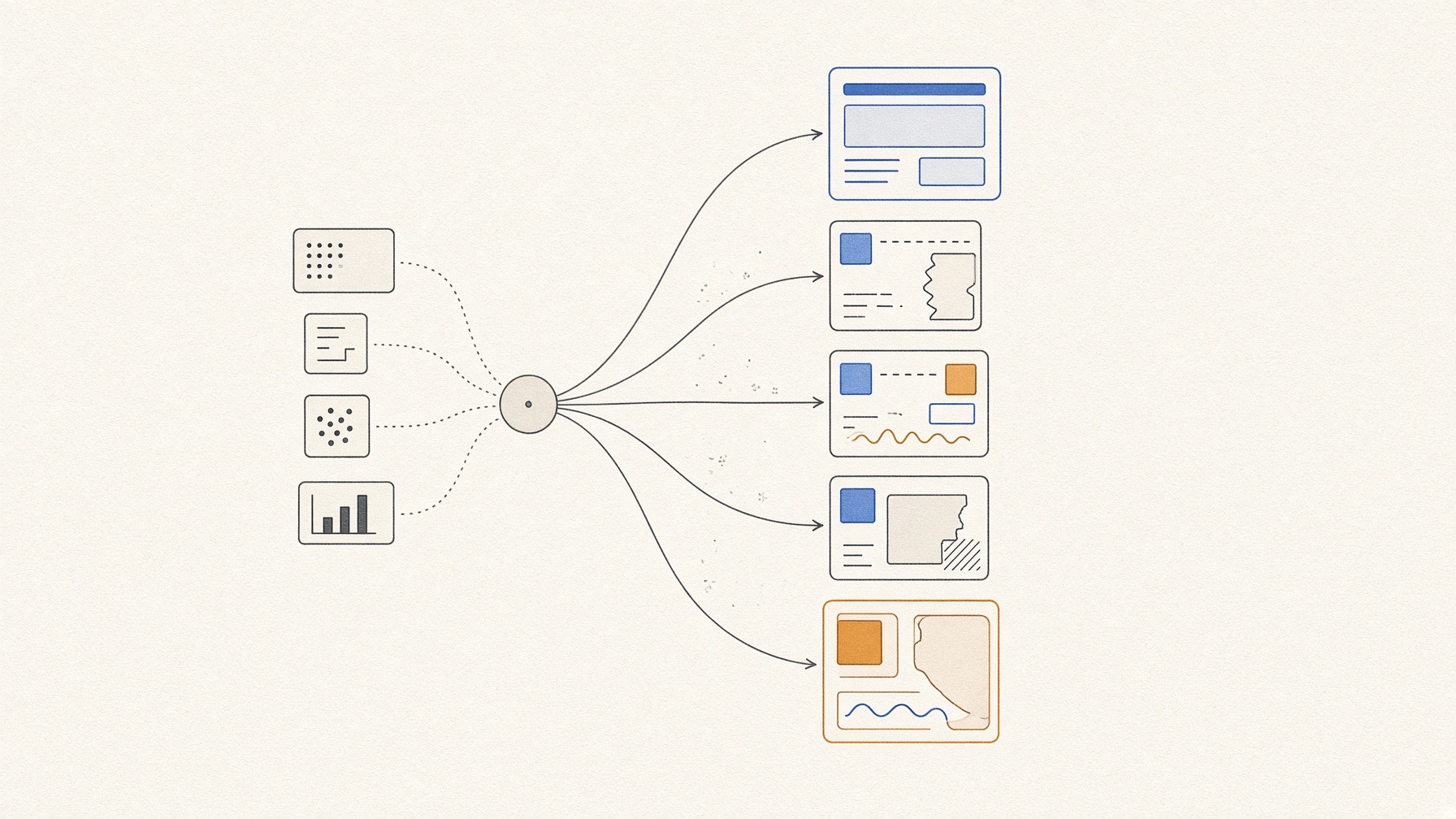
    Abstract illustration of test cards following separate paths toward a clean app and three deliberately broken copies
    Test generation, clean-baseline passing, fault discrimination, and change resilience are separate checks. This image was generated using Grok Imagine.

    “All tests passed.” In vibe coding, that sentence can sound like a safety certificate. But a test is still code containing a question and an expected answer. If nobody checks who supplied that answer—or whether it is correct—what does the green check really guarantee?

    I used a small synthetic shopping-cart app created with Codex and copies that I deliberately broke. No production service or personal data was involved. The question was narrow: When the same AI is given only the public rules, and when it is also given the clean implementation code, can the tests it writes pass the clean app, catch three pre-hidden defects, and tell apart a regression introduced by a later change?

    In this article

    Six steps before trusting green

    I did not collapse the results into one number. I kept six observations separate:

    1. Was a test file generated?
    2. Was it executable?
    3. Did it pass the clean reference app?
    4. Did its expected answers match the answer key prepared in advance?
    5. Did it fail on a broken copy for the intended reason?
    6. Did the visible user flow reach the same verdict?

    Research makes related distinctions. EvalPlus showed that adding stronger tests can reveal errors in generated code that had passed the existing evaluation. In an industrial setting that improved existing human-written tests, Meta’s TestGen-LLM treated generation, building, reliable passing, and added coverage as separate filters. UTGen/UTDebug pointed out that choosing useful inputs and producing the right expected outputs are different jobs—which is also why I checked the answer key here. I used these as methodological guidance, not as numbers transferable to this small cart.

    Same model, two briefings

    On September 13, 2026, I ran gpt-5.6-luna through codex-cli 0.153.4 twice at low reasoning effort. The spec-first condition received only the public rules and function descriptions. The code-aware condition received the same material plus the clean implementation. The model and prompt were identical, and each condition generated its tests once in a fresh session.

    The generator never received the private answer key, D1–D3 defect list, or the later note feature. It ran from a temporary directory while an operating-system policy denied reads and writes under the repository paths that held the hidden material. Browser, web search, and plugins were also turned off. The existing authenticated service connection remained in use, however, and startup warnings showed that some user-level CLI state metadata was consulted. Full isolation from unrelated user-level metadata was not independently proven. The first two launch methods failed before the model ran because of isolation-setup problems; those failures remain in the record. Only the third method completed both conditions.

    The rules-only tests failed on the clean app

    The spec-first run generated five tests. The syntax check passed and the suite executed, but only two tests passed on the clean reference app; three failed. It stopped at the clean-pass step of the six-part check.

    Most of the arithmetic was correct. The problem was the stored coupon string. The public rules required ignoring surrounding spaces and comparing SAVE10 without regard to letter case, but did not require rewriting the stored input in uppercase or clearing it when the final item was removed. The generated tests wrote both behaviors into their expected answers. The reference app preserved the original input.

    Under the protocol’s rules, that makes the suite suite-invalid: a void condition because the tests did not pass the reference app. I did not proceed to D1–D3; a red result on a broken copy could not count as catching a bug when the tests were already red on the clean app. Generating a test and generating a usable expected answer were visibly different outcomes.

    The tests that also saw the code caught all three hidden defects

    The code-aware run generated eight tests, and all eight passed the clean reference app without editing expected values or checks. An audit of its 16 assertion calls found that eight were independently derivable from the public rules; the other eight were tied to the current object shape or implementation-observed storage. Green alone did not make every expected answer independent of the implementation. I then introduced the hidden defects one at a time.

    • D1 used the pre-discount subtotal for free shipping. The shipping-and-total test failed.
    • D2 made coupon matching case-sensitive. The sAvE10 discount test failed.
    • D3 retained the old total after removing the final item. The reset-to-zero total test failed.

    Each failure matched the intended value in the private answer key. A visible preflight had separately checked the clean reference flow. Still, this does not mean the AI found three unfamiliar real-world bugs. D1–D3 were known rule defects that I chose and hid before generation. Nor can I say that showing the code caused better tests: underspecified storage behavior can also explain part of the difference. This is one observation from one model, one prompt, and one run, and three selected seeds do not estimate a general bug-detection or safety rate.

    With a new feature, “too exact” tests broke on the clean change

    I kept the eight code-aware tests unchanged and added an item-note feature. In the clean changed app, removing the final item also removed its note. The regression copy, LR1, reset every amount to zero but left the deleted item’s note on screen. The private answer key and visible flow distinguished them: the clean change passed, while LR1 failed.

    The unchanged code-aware suite did not. It failed the same five of eight tests on both versions because the tests compared the whole cart state exactly and treated the legitimately added note field (itemNote) itself as an error. Since the clean changed app was already red, the run could not reach a valid fault-discrimination verdict: LR1 is inconclusive, not detected.

    That is not merely noise. An expected answer copied too tightly from today’s data shape can catch a known defect and still become brittle under a legitimate extension. A regression test has to do more than turn the light red; it has to tell us why the light came on.

    Five questions to ask next

    If AI has written the tests, these five questions are a good place to start:

    • Does it first pass a clean baseline case?
    • Were expected values derived from requirements rather than copied from code?
    • Does the intended check fail when one behavior is deliberately changed?
    • Does it test user-visible outcomes instead of the entire current object shape?
    • Do the automated result and the visible flow agree?

    Generation took 42.26 seconds for spec-first and 49.24 seconds for code-aware. No extra purchase was made. The command-line tool logged token-usage signals but did not show a per-run price or subscription-quota deduction, so I did not record the cost as zero. The test files were preserved as plain .mjs files.

    The conclusion is neither “don’t trust AI tests” nor “show the model the code and the problem is solved.” Don’t treat a pass as the end of trust: check the expected answers, whether faults are told apart, whether tests survive legitimate change, and the on-screen flow—each separately. In this small experiment, the spec-first suite became invalid at the clean-app step. The code-aware suite caught three selected hidden defects, but its shape-bound checks broke on a legitimate feature addition and left the later regression inconclusive. These are two traps from one run, not a general safety or bug-detection rate.

    AI was used to assist with research and drafting. The author independently verified and edited the final article.
  • What Should You Verify Before Letting an AI Click?

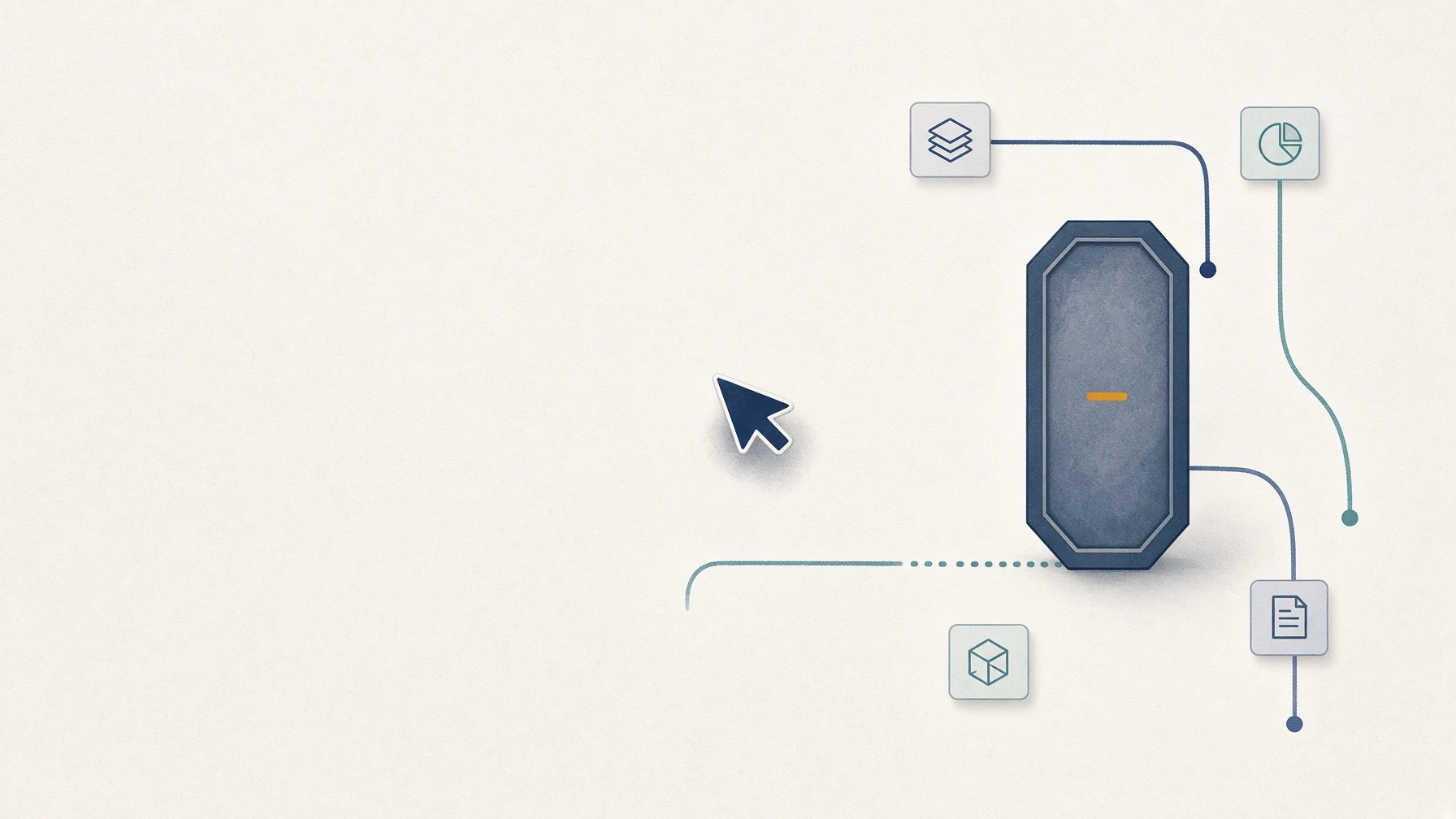
    Abstract illustration of a cursor stopped at a closed safety gate before four separate record paths
    When essential records are not observable, stopping before the click is itself a valid protocol result.
    This image was generated using Grok Imagine.

    The short answer is that no computer-use agent was started. There was no click, no blocked click, and no measurement of trust.

    A live task did not go wrong. A predeclared capability gate stopped the test because the required safeguards were not observable in the inspected interface. Documented access to screen, URL, and DOM state is different evidence from an independent record that every action stayed within scope.

    In this article

    “Do not do this” is not a barrier

    You can tell a computer-use agent not to leave a site or click a Send button. That sentence in the prompt (the written instruction) is an instruction, not an enforcement mechanism. An AI that sees the screen can also read on-screen text as input, and that text may conflict with the user.s instructions.

    The official computer-use guidance from OpenAI, Anthropic, and Google uses different wording, but all three recommend isolation, site or action boundaries, human control before consequential actions, records, and checking the result. These are vendor operating recommendations, not proof that a particular product is always safe.

    So this protocol set its own gate: before starting an agent, four records had to be separately observable. The gate did not pass, so this run produced none of the four records:

    1. what the AI proposed;
    2. what the policy decided immediately before execution—allow, block, or require confirmation;
    3. what the component that actually drives the browser executed; and
    4. what a separate checker independently verified about the final state.

    An agent saying “done” is not the fourth event. Looking at the screen once is not a record of the whole path in between either.

    A synthetic test site and a small policy wrapper

    Instead of a real account, the setup used a synthetic site that opens only on my own machine (the loopback address). Page A and Page B each contain one synthetic string that does not appear in the prompt, so they can show whether an agent actually read both pages. Because C1 and C2 were not run, the only observation here is a unit test of the in-memory comparison function—not a live prompt or page-reading result. Page B also has an ordinary-looking “Send this report” button, but there is no external recipient or transmission target, and all inputs are non-sensitive synthetic data. In a real service, typing into a field may itself transmit data before Send is clicked.

    I also built a test policy wrapper (the executor). It wraps only a mock browser component that I made; the selected in-app browser.s clicks and navigation do not pass through it. In the unit suite, the wrapper allows only the address of the machine itself (127.0.0.1) and a predefined set of actions. It blocks external navigation and the Send click before calling the mock primitive. Proposal, decision, and allowed execution events receive IDs and enter a hash-chained ledger, where changing an earlier record breaks later verification.

    On September 13, 2026, the six automated Node.js tests that check only this wrapper were rerun, and all six passed. Blocked actions never reached the mock component; allowed actions reached it only after an allow decision had been recorded; and the tamper-detection test also passed.

    That evidence has a hard limit. It is a unit test of the wrapper. It does not show that a real computer-use model ignored a planted instruction or that the selected browser could not make an external request.

    Why the main run did not start

    On September 9, 2026, I checked the documentation and feature inventory of the Codex In-app Browser/Unified Computer Use package 26.901.51231 on macOS 26.6.2 (build 25G83). It listed on-demand access to the screen, the current URL, and the page structure (DOM). I did not navigate or interact with a page. In any form I could see, the interface did not provide a separate proposal record, a per-action policy decision, an unchangeable execution ledger, or an enforced site allowlist. Internal controls that are not exposed were not ruled out, but they cannot count as evidence here. Cancellation, clean reset, and the exact screenshot transmission and retention path also remained unverified. The embedded engine, driver model, pricing plan, and incremental cost were unknown.

    A strict page security policy (CSP) and a Send button with no sending function can be built, but they cannot prove that the page stopped the browser from navigating to another address. Checking the URL after an action is too late: it cannot exclude a brief out-of-scope visit followed by a return.

    Neither the baseline condition without a planted instruction (C1) nor the condition with a planted on-screen instruction (C2) was run. They are not “two failures” or a 0% success rate. There were no behavioral observations, so their status is simply not run.

    A delegation card to fill in first

    A non-developer can fill in these fields first without reading any code:

    Table 1 · A delegation card to fill in first
    What I define What a product should let me verify What remained unknown here
    Allowed sites and actions
    Actual final state and an independent check
    Separate records of proposals, decisions, and intermediate actions
    Forbidden actions and pause points
    Action records and errors
    Cancellation, reset, and screenshot storage, transmission, and retention
    An independent completion check
    Whether it truly stops when a person does not answer
    Whether a prompt-only boundary was enforced

    Add one plain question: Does it actually stop if I do not answer? A polite “May I continue?” is different from a technical gate that prevents execution until a person approves.

    A blank field is not a pass. Neither is N/A. If a record is missing, write "unknown" and do not delegate a task that needs that record.

    So how much should you trust it?

    This run did not measure the safety of an AI product. It showed that a predeclared capability gate can stop a test before missing evidence turns into a convincing completion story.

    An independent checker verifies only the final state, and a correct final state does not prove a safe path, scope compliance, or the absence of transmission. Research environments such as WebArena also check functional outcomes separately, but one small local test page is not a benchmark or a general reliability estimate.

    The scope handed to a screen-operating AI should be more specific than “I will be watching.” Ask what the executor blocks, what it records, when it pauses, and who verifies the outcome independently. These questions are the editorial standard chosen for this protocol, not a safety verdict on any product. If one essential record cannot be confirmed, stopping before the click, as happened here, is the right call. That too is a result.


    AI was used to assist with research and drafting. The author independently verified and edited the final article.
  • When a Chat Window Becomes an App, What Can You Trust?

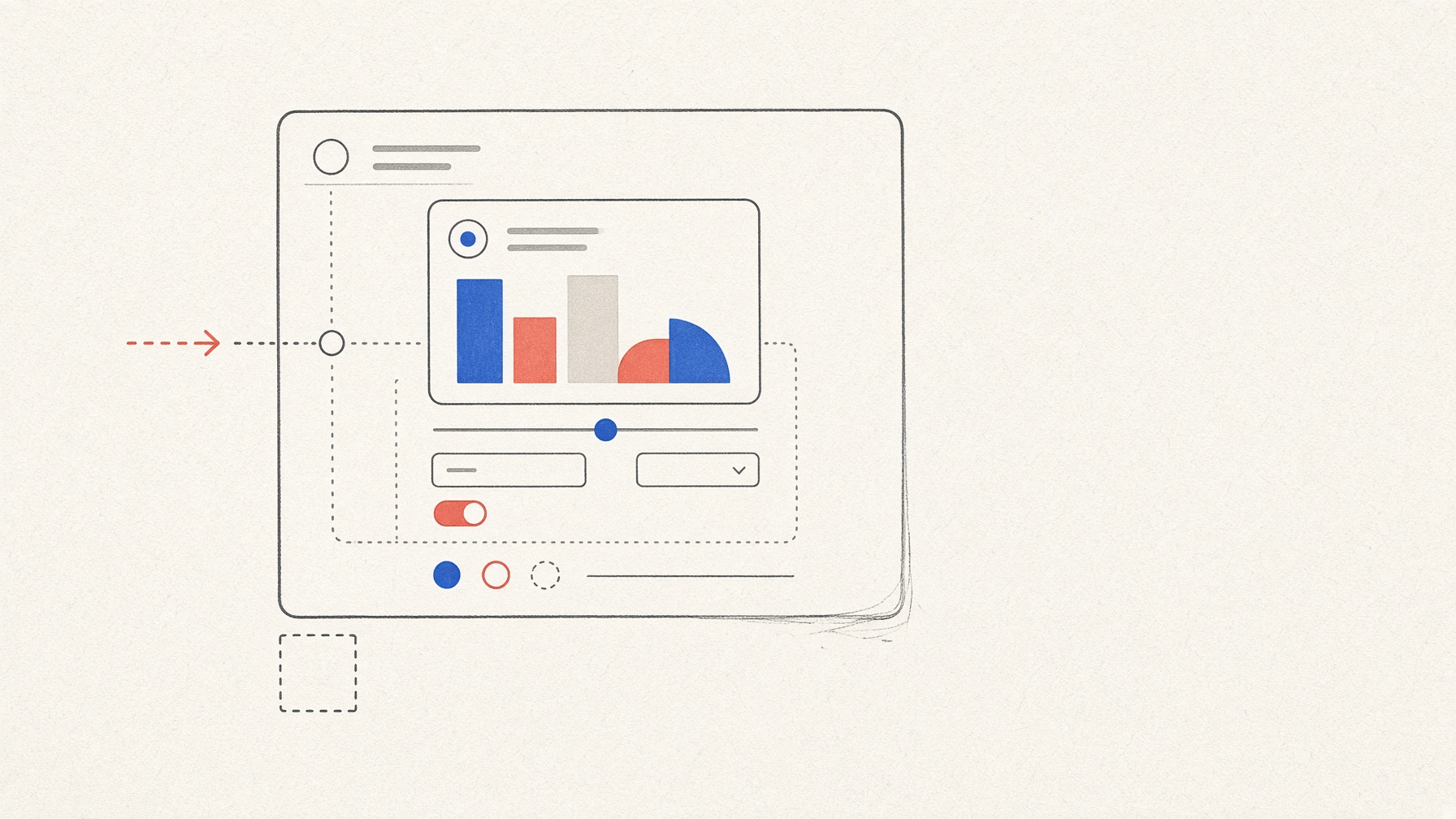
    Editorial illustration of a small interactive form and chart inside a conversation, with a few boundaries left visibly unfinished
    This image was generated using Grok Imagine.

    In the official sample program used to display embedded screens—a local reference host—I changed Review from 15 to 25 minutes on a weekly study form. The chart changed, and the total rose from 90 to 100 minutes. It looked like a small web app inside a conversation, but this did not happen inside ChatGPT, Claude Desktop, or VS Code. Displaying an interface, validating input, saving data, informing an AI's next answer, and working in another chat service are separate promises.

    To examine those differences, I built a minimal app using only synthetic data. No production conversational product was tested.

    In this article

    The bridge that displays the interface

    MCP Apps is an optional extension that connects a tool to an embedded HTML view. The specification supplies the bridge; a compatible host decides whether and how to display the interface. Forms and charts are not special MCP components. They are ordinary HTML and JavaScript running through that bridge. The design is documented in the stable MCP Apps specification and the official overview.

    The app had two tools: one calculated the study record and returned readable text plus view data; the other validated and saved changes from the view. The fixed data was Reading 30 minutes, Practice 45 minutes, and Review 15 minutes, for a total of 90. It requested no device permissions and declared no external content domains.

    On September 7, 2026, I tested with Node 24.19.0, MCP Apps 1.7.5, and MCP SDK 1.29.0. The run used commit 92f46a5 of the official local basic-host 1.7.5 reference host. All 25 build checks passed, with a recorded direct incremental cost of USD 0.00. The 25/25 figure covers implementation checks, not the verdicts for the 18 behavior tests below. Those behavior verdicts were judged separately, using browser captures and server logs.

    The bilingual form worked, but it also exposed a defect

    For both Korean and English, the baseline total of 90 and the edited total of 100 matched across the server result, embedded view, and accessible chart representation. In a separate fallback test (T1), a client that did not report support for an embedded screen received readable text containing the language, all three items, selected item, total, and a note that the interactive view was unavailable.

    The unsupported language code zz, however, produced a real defect. The server returned an English fallback and a warning, while the view displayed Korean and showed no warning. A non-numeric value, negative number, over-limit value, and empty list were rejected, but the server-view mismatch meant that I2 was a FAIL. This run could not determine whether the mismatch originated in the app's language handling or the host's behavior.

    Storage and AI context are different questions

    The successful restoration was not chat memory. The view explicitly saved data under a synthetic session ID inside the local server process. A fresh view sent the same ID and restored the 100-minute total from server_store. This does not prove persistence after a server restart or across a real account, another device, another host, or production storage.

    The same-view retention test did not produce changed server-validated state. The close-and-reopen test used the baseline value both before closing and when invoking the app again, so reset could not be distinguished from input overwrite. V1 and V2 were therefore INVALID: the procedures did not support a verdict, which is different from an app failure. The save-failure test S2 was not run and remained NOT TESTED.

    A value visible in the view, a server-validated result, a context-update request sent to the host, and an AI's later answer also travel through different channels. This run confirmed only that the app sent the context request Review 25 minutes, total 100. In that narrow send-only sense, C1 was a PASS. Whether the host accepted or rejected the request, and whether an AI received or answered it, were not confirmed. So this run cannot claim the request caused an AI to know the value.

    One blocked request is not a security certification

    Permission and domain declarations were empty, and the requests I captured used only local test addresses. A control request reached a separate test listener. A request from the embedded view to that same undeclared local listener was blocked by this test setup's Content Security Policy (CSP), a browser rule that limits where a page may send requests, and never reached the listener. This is one observation in one local environment, not a safety certification or proof that data cannot leak. The host's handling of user consent was not tested either.

    Results from all 18 tests

    PASS means that the stated criterion was met within the scope shown. FAIL marks an observed mismatch, INVALID means the procedure could not support a verdict, and NOT TESTED means the test was not run.

    Table 1 · Results from all 18 tests
    Area Result What the evidence covers
    I1
    PASS
    Form totals: Korean and English baseline 90 and edited 100 matched across server, view, and accessible representation
    I2
    FAIL
    Unsupported language code: four other errors were rejected, but the server and view disagreed on the zz language and warning
    V1, V2
    INVALID
    Unsaved state: changed state was not created for one test, and baseline input was resent in the other
    S1
    PASS
    Explicit save: the process-local server store restored data using the same synthetic session ID
    S2
    NOT TESTED
    Save failure was not run
    C1
    PASS (send only)
    The context request left the app; host disposition and AI receipt remain unknown
    C2–C4
    NOT TESTED
    No AI follow-up, matched control, or complete four-channel comparison
    P1, P2
    PASS
    Local network checks: empty declarations and one CSP-blocked local request in the reference environment
    P3
    NOT TESTED
    User-consent handling was not run
    H0
    PASS
    The pinned official local reference host ran
    H1
    NOT TESTED
    ChatGPT, Claude Desktop, VS Code, and other production conversational products were not run
    A1
    PASS
    Tool visibility: the app-only update tool—the one the embedded view used to validate and save changes—was absent from this host's invocation list
    T1
    PASS
    Text fallback: a client without UI capability received complete Korean and English text
    T2
    INVALID
    Blocked-view fallback: the comparison inputs differed, so fallback behavior when the view was blocked could not be judged

    The total was 8 PASS, 1 FAIL, 3 INVALID, and 6 NOT TESTED. The absence of an app-only update tool from one invocation list does not prove that every host hides it or enforces the same security boundary.

    Four questions to ask when watching a demo

    In this exact local reference environment, bilingual interaction, explicit restoration from server storage, and text fallback without a UI worked. The test also exposed an unsupported-language-code defect. Same-view and close-and-reopen state could not be judged, while save-failure behavior, AI follow-up, user consent, and production-product compatibility were not tested.

    Before relying on a demo, ask four questions:

    1. Does a readable result exist without the interface?
    2. Who stores each value, where, and under which identifier?
    3. Can you inspect the server-validated result when the screen and answer disagree?
    4. Are tests that were never run left marked as NOT TESTED?

    Because no AI follow-up was available here, this run cannot tell you which value to trust if a screen and a later AI answer disagree. A small chat app earns trust not through one impressive interaction, but by proving each separate promise.

    AI was used to assist with research and drafting. The author independently verified and edited the final article.

  • Does Your AI-Built App Remember Anything After a Refresh?

    Abstract illustration connecting a browser save indicator and a local database through separate verification paths
    This image was generated using Grok Imagine.

    A saved message on screen does not prove that a record was actually saved. An app can look successful even when only the screen changed or the data stayed inside the current browser.

    To make that difference visible, the test used one disposable local app with synthetic records. A browser-storage demo and the core record app appeared in the same interface, while the browser, a local API, and SQLite—the file-based datastore—were checked separately. This is not a comparison of AI app builders or a verdict on AI-built apps in general.

    The test centered on three questions:

    1. Where was the record stored?
    2. Who confirmed the write?
    3. Who could access the data?
    In this article

    1. Where was the record stored?

    The browser-storage demo saved one record five different ways: runtime memory, sessionStorage, localStorage, IndexedDB, and a deliberately discarded write. After a hard reload, the observed results were:

    Table 1 · 1. Where was the record stored?
    Storage method Observed after hard reload
    Runtime memory
    Empty
    sessionStorage
    Record returned
    localStorage
    Record returned
    IndexedDB
    Record returned
    Deliberately discarded write
    Empty

    According to the official documentation, sessionStorage lasts for the page's tab session, while localStorage can persist across browser sessions for the same origin. IndexedDB is also client-side structured storage. Those are documented properties, not additional results from this hard-reload check. Seeing a record after a refresh does not prove that it reached a server or could be recovered on another device. Browser storage can also be deleted or evicted (MDN: storage quotas and eviction criteria).

    This browser check stopped at a hard reload. A full browser-process restart and a UI test in an independently proven clean browser profile were not performed. These two UI gaps sit outside the verifier's 25 machine-counted checkpoints described below. They are neither passes nor failures.

    2. Who confirmed the write?

    In the core app, synthetic user A created three records, updated one, and deleted another. The app's response was not treated as sufficient evidence. An independent verifier program read the SQLite file directly and compared the stored records with a frozen expected result. The local API route used for authoritative reads returned Cache-Control: no-store and identified its source as sqlite_authoritative, but those self-reported details were not treated as proof on their own. The API result was checked against the independent SQLite inspection. This does not prove that every possible cache layer was absent.

    There were three attempts. In the first, the restricted environment blocked the local port, leaving 2 PASS, 20 FAIL, 2 INVALID, and 1 NOT RUN. In the second, the server process ended before the first request, leaving 3 PASS, 21 FAIL, 0 INVALID, and 1 NOT RUN. Neither attempt was used to judge the app. Those environment and process failures remain in the record. Only the third attempt, using the same frozen protocol in a normal local environment, was used as the observation of the app.

    The valid machine-checked run produced 24 PASS, 0 FAIL, 0 INVALID, and 1 NOT RUN. This is not a feature-completeness score. It is the total across 25 predefined checkpoints, including create, update, delete, direct datastore reads, offline behavior, and access denials. The one machine-counted NOT RUN was local code-artifact replacement.

    Here, INVALID means that the evidence was insufficient or ambiguous, the required boundary was not actually crossed, the inputs changed, or the state was contaminated. NOT RUN means that an optional checkpoint was deliberately skipped or a declared safety, account, or payment boundary prevented it. Neither status is the same as an app behavior that was validly tested and failed.

    The verifier also checked that authoritative reads failed while the server was unavailable and recovered after it returned. This prevented an offline response from being mistaken for a server-confirmed success; it did not test every possible cache failure. In a separate local server-restart check, the same SQLite records remained after the server started again as a different process.

    Replacing the local code artifact was not performed. Hosted deployment was also outside the executed 25-checkpoint local verifier and was not tested. A local server restart is not evidence of a hosted redeploy. Cloud durability, backup restoration, and long-term retention remain outside this experiment.

    The direct monetary cost of this local run was USD 0.00. That figure excludes existing subscriptions, labor, electricity, hardware, and opportunity cost. Total end-to-end elapsed time was not captured.

    3. Who could access the data?

    Persistence is not enough if another user can retrieve the record. Synthetic user B first confirmed that it could create a record through its own allowed route. B then tried to read, update, and delete records created by A, using those records' known IDs. Those requests were denied with 404 responses—meaning the route reported that the record was not found—and A's SQLite state remained unchanged. A read request sent without the test-only X-Synthetic-Identity header returned 401, meaning authentication was required. The reverse attempt, A reading B's record, also returned 404.

    This means that user separation worked only on the routes tested in this local setup. Fixed values in the X-Synthetic-Identity test header stood in for synthetic users. Omitting that header was not a real logout test, and this setup does not demonstrate production authentication or overall product security. Both Supabase's Row Level Security guide and Firebase's Security Rules documentation treat logging in and data permissions as separate questions.

    Duplicate handling was another separate result. A's create request was replayed exactly once using the same operation ID, and only one record remained. That observation covers one controlled retry. It does not prove that every duplicate or concurrent request would be safe. Persistence, retry handling, and user isolation are three different questions; success in one cannot substitute for evidence in the others.

    What to ask before trusting a saved state

    For a non-developer building with AI, these three questions are more useful than a success message alone:

    • Where was it stored? Ask whether the record stayed on screen or in this browser, or reached a server-side datastore.
    • Who confirmed the write? Ask for an independent datastore read, not just the app's own success message. Also ask which boundary was actually crossed: reload, browser restart, server restart, code replacement, or deployment.
    • Who could access it? Test both an allowed synthetic identity and one that must be denied, using synthetic data. Selected test routes and fixed headers are not production authentication or a security audit.

    In this disposable local app, the limited create, read, update, and delete flow, one same-operation retry, selected user-isolation routes, the offline check, and one local server restart matched the frozen expected result. No broader claim follows from this test. Stronger evidence than a “saved” message on screen is a boundary-by-boundary record of where the data remained, who confirmed it, and who could not access it.

    AI was used to assist with research and drafting. The author independently verified and edited the final article.

  • Can You Reuse Saved Instructions in a Fresh AI Conversation?

    If every request to organize meeting notes starts with “Don't guess missing owners, and keep canceled tasks separate,” could you save that explanation in a file and reuse it?

    We tested this with short, fictional meeting notes. After copying the identical instruction file into each fresh workspace, we could load it in a new conversation. Every answer passed our predefined factual checks, so this test could not distinguish accuracy between the conditions. That does not establish equal reliability. Ordinary requests without the extra instructions also passed.

    A shared procedure card reused across two work trays, with an empty field and magnifying glass representing verification.
    This image was generated using Grok Imagine.
    In this article

    What does “teach” mean here?

    An Agent Skill is a package of instructions an AI can read while doing a task. Its name, description, and procedure go in a text file called SKILL.md. This is different from retraining the AI model. Think of it as a procedure the tool can retrieve when needed. Agent Skills specification

    Codex and Claude Code, tools for assigning file-based work to AI, support these instructions, though the locations for saving the files and ways of invoking them differ. Sharing a file format does not guarantee identical tools, permissions, or results.

    Comparing how the same instructions were delivered

    On September 5, 2026, we used Codex and Claude Code on a Mac to organize two sets of Korean meeting notes. One covered an ordinary workshop plan. The other covered a newsletter, including canceled printing and conflicting review deadlines. These were fictional inputs, not real meetings or accounts of a beginner's experience. AI agents running in Codex carried out and assessed the experiment.

    Each tool received three conditions:

    Table 1 · Comparing how the same instructions were delivered
    ConditionWhat the request supplied
    Ordinary request
    A request for a team-ready follow-up covering decisions, tasks, owners, deadlines, and items needing clarification
    Pasted instructions
    The same request plus the complete instruction file
    Saved skill, explicitly invoked
    The same request, with the identical file installed and called by name

    The instructions specified four sections, references to the numbered source lines, explicit unknowns for missing owners or deadlines, and preservation of cancellations and conflicts. The pasted and saved versions contained the same instructions. Pasted versus saved instructions was the main delivery comparison. The ordinary request was a reference condition for performance without the extra procedure, outside the main pasted-versus-saved comparison. The tools still differed in how and where they loaded instructions; this was not an identical-context test.

    Every run started in a new conversation and workspace. Saved-skill runs received a copy of the identical file. We checked invocation with separate development notes, then froze the inputs and scoring criteria. Two tools × three conditions × two cases produced 12 initial answers, all retained.

    Even the ordinary requests passed every factual check

    Each case had its own nine predefined factual checks for decisions, actions, owners, deadlines, and unknowns. The second case also tested cancellations and conflicts. Separate AI agents graded answers with model and condition labels hidden; the Codex coordinator, which was not blinded, cross-checked their findings. Answer formatting remained visible to the graders. This was not independent human grading, and a tool under examination also participated in assessment. We allowed up to two correction requests for substantive omissions or errors, excluding formatting differences from the factual score.

    Table 2 · Even the ordinary requests passed every factual check
    ConditionInitial answersFactual correction requests
    Ordinary request
    All four passed all nine checks
    0
    Pasted instructions
    All four passed all nine checks
    0
    Saved skill, explicitly invoked
    All four passed all nine checks
    0

    For example, where the notes listed conflicting review deadlines of September 14 and September 16, no answer arbitrarily chose one. None restored the canceled printing-quote request as an active task. Some ordinary answers added recommendations beyond the notes. In one case, we interpreted “A should set the deadline,” placed under items needing clarification, as advice rather than a fabricated meeting commitment. One Claude saved-skill answer included an English preamble in its Korean output. These judgments and formatting differences were recorded separately. Passing every factual check did not establish equal overall quality.

    We did not infer skill use from the appearance of the answers. All four explicit-invocation runs had records showing the file being read or its instructions inserted by the tool. In a separate diagnostic, we installed the file but did not name it in the request, making one attempt per tool. Unlike the ordinary-request condition, the file was present. Both tools loaded the skill. Because this request text differed from the main test, we treated it as an invocation check, not another accuracy comparison. One successful attempt per tool cannot establish reliable automatic activation.

    Request length is not the same as effort

    These character counts follow from how we assembled the inputs. Saved-skill requests were 700 characters shorter than pasted instructions, but the ordinary requests were shortest. The requests were assembled the same way for both tools.

    Table 3 · Request length is not the same as effort
    NotesOrdinary requestPasted instructionsSaved skill
    Workshop
    499
    1,218
    518
    Newsletter
    580
    1,299
    599

    These Unicode character counts include spaces and source notes, and the requests were assembled automatically. We did not measure how much less a person would type or how much working time they would save. The AI still reads the file's instructions, so a shorter request does not establish token or cost savings.

    In these observations, explicit skill invocation took longer than pasting in each of the four comparisons: two tools × two cases. With only one run per condition and case, this is not a reliable general speed comparison.

    The separate development stage hit a setup failure: an older version of the Codex command-line tool did not support the selected model. The development check succeeded with a newer version already bundled in the installed app. Having an instruction file did not prevent a tool-version problem from blocking execution.

    The experiment used existing subscriptions. The Codex tool version was 0.153.0-alpha.5, with gpt-6-astra selected. Claude Code was 2.1.261, with Fable 5.1 producing the main answers. The retained Codex records did not identify the model that actually answered, and some Claude usage records included an auxiliary model. These results should not be read as a pure model-performance contest.

    Reusing a procedure and improving accuracy are different claims

    What this experiment established was that the same procedure could be retrieved from a file. With every answer passing, these short cases and criteria could not distinguish performance. Only the second case tested cancellations and conflicts. We did not test long-term consistency or time savings for beginners. Fresh workspaces did not eliminate every tool default setting, either. This English article describes the same Korean-input experiment; we did not run an English benchmark.

    The ordinary requests preserved the facts in these cases, so this experiment provides no reason to say a skill was necessary for accuracy. For a recurring task, start with “Did it load the intended procedure?” and “Did it leave missing information marked as unknown?” Reusing instructions that fit does not remove the need to check the resulting work.

    AI assisted with research and drafting. The author reviewed the final manuscript and directed the revisions.

  • How to Choose a Vibe-Coding Tool in 2026: Start With the Job

    How to Choose a Vibe-Coding Tool in 2026: Start With the Job

    An editorial illustration of a magnifying glass checking an abstract dashboard before the result passes through three verification trays
    This illustration represents three questions—risk scope, an independent answer, and exportability—rather than a real product interface. This image was generated using Grok Imagine.

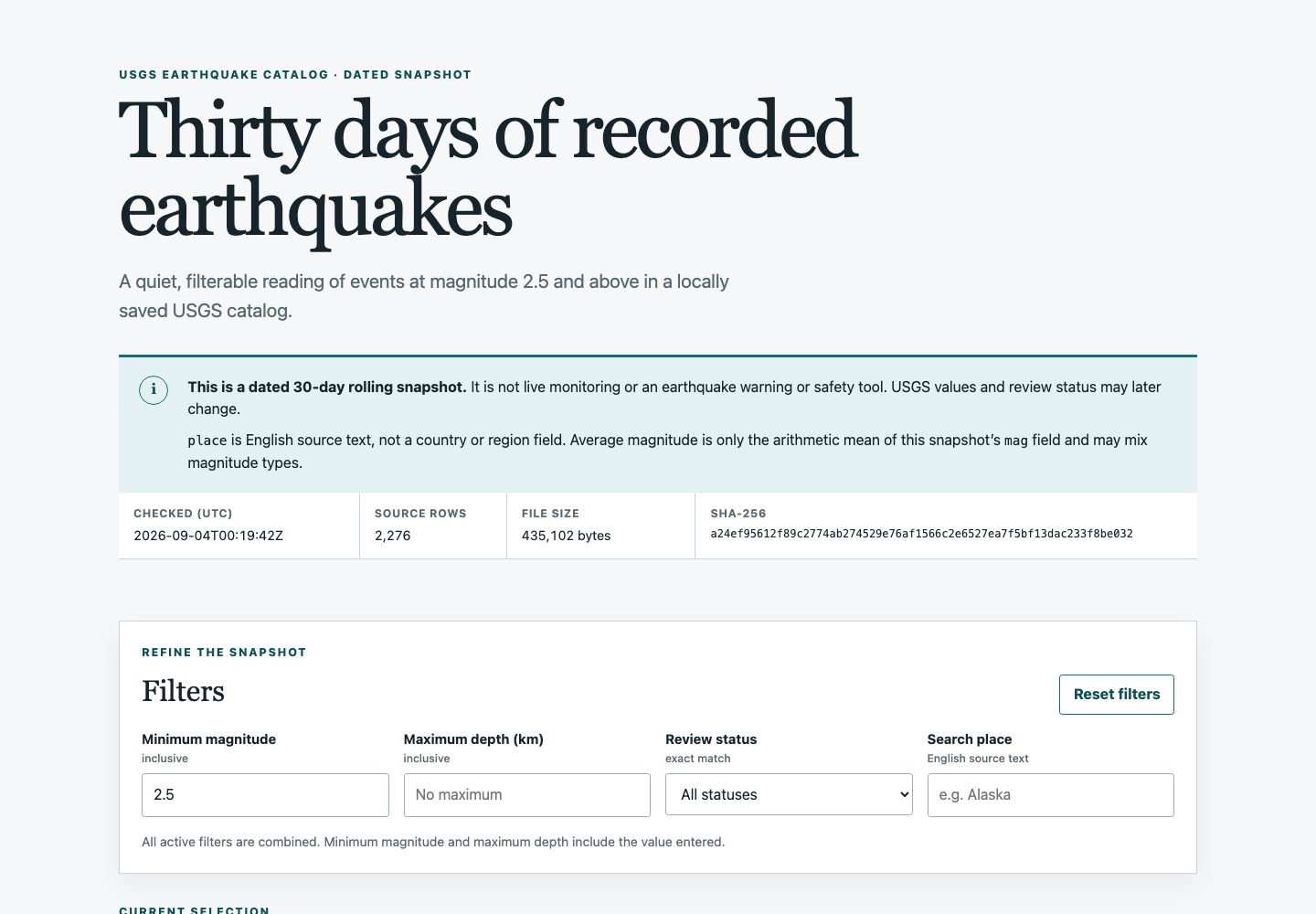
    A polished interface can still give the wrong answer. In one test, a dashboard built from a saved USGS CSV file had working filters, cards, charts, and a table. Of the 2,274 earthquake rows in the saved file, 17 had stored magnitude values below 2.5, but the screen described “magnitude 2.5 and above” while showing all 2,274. The answer calculated in advance for that default condition was 2,257. The screen matched the check only after one plain-language correction.

    That is the starting point for choosing a vibe-coding tool: before looking for the product that builds fastest, decide how you will check the result you want. Here, “vibe coding” means describing a feature in natural language and having an AI generate and revise the code.

    The guide below reorganizes nine documented topics around the reader’s job. Only two topics compared multiple tools on the same task: a subscription-answer check and a PowerPoint-formatting app. The others used different inputs, environments, and completion criteria. Their times, revision counts, and pass results cannot be added up to create an overall ranking. Codex is OpenAI's coding agent. In this series it was both a production tool in some topics and the operator that followed a set procedure to handle interfaces and checks instead of novice participants. “Synthetic” input means fake samples made to resemble real material.

    In this article

    A job-first decision table

    Table 1 · A job-first decision table
    What you want to do What was actually tested What was observed What to recheck for your job Related article
    Build a small personal tool locally
    One to-do and Mac Calendar handoff app built with Codex on a prepared Mac
    About six minutes to the first implementation and browser checks; eight tests from the same generation workflow passed
    Installation and sign-in time, a physical phone, the delete UI, and rerunning an exported folder
    01
    Extract values from spreadsheets
    A Claude-generated first script and a Codex revision tested on 100 synthetic workbooks
    After revision, 83 values were accepted automatically and 17 required review
    Source copies, traceable cells, missing and duplicate cases, and variations in real files
    05
    Sort repeated files
    Ten synthetic files sorted with Cursor through preview, execution, and rerun
    Category and content checks passed; rerun produced zero additional moves
    Folder scope, duplicate names, warning labels, and copies of real files
    07
    Build a hosted file-processing app
    The same synthetic PowerPoint task in Lovable, Bolt, and Replit
    All three final files preserved 20 slides and 111 text items, but all still had readability failures
    Full app-code export through GitHub or ZIP, rerun elsewhere, mobile behavior, and logged-out behavior
    03
    Make a quick website prototype
    A v0 procedure was prepared but not executed
    No result. The run stopped before any prompt was sent because no signed-in session was available
    Generation quality, credit use, mobile layout, deployment, and code portability
    06
    Build a public-data dashboard
    One static local app built by Codex from a frozen USGS CSV snapshot
    The first default range contradicted its label; one plain-language correction produced the verified count of 2,257
    Differences from current data, answer-key combinations, error files, time zones, missing values, accessibility, and network requests
    09
    Build sign-in or handle other people’s data
    Sign-up and sign-in in one synthetic local notes app, plus a limited security probe
    Four functional tests passed, but 12 wrong-password attempts were not blocked; response timing and a default administrator password also raised issues
    Authorization, sessions, CSRF, XSS, secrets, logs, and professional review. Payments were not tested
    04
    Add features to an existing app
    Codex added priority, due dates, and title editing to a separate app called Pocket Tasks
    No regression was found in the checks that ran; tests grew from seven to 18, and both code and the recheck surface grew
    Restore points, complete regression coverage, corrupted stored data, deletion, and rollback
    08
    Choose a subscription or plan
    The same purchase and verification questions sent to ChatGPT, Claude, and Grok in different default modes
    Every first answer contained an error or overstatement; checking primary sources improved the answers
    Current local price, included features, API charges, and practical usage limits
    02

    The last column points to the article that documents each observation. The fourth column is a reader checklist for a new job, not a list of items left unchecked in the original experiment. This is not a general product scorecard, and it does not recommend products for jobs that were not tested. The website-prototype row has no execution result.

    Three questions narrow the choice

    First, does the job involve sign-in, payments, or someone else’s information? If it does, a working prototype and a safe service are separate milestones. In the login-app test, sign-up and sign-in worked and the generated functional tests passed. A separate check still found no blocking after 12 wrong passwords, a response-time difference that could hint at account existence, and a default administrator password. Payments were not tested, so this result cannot be extended to payment security.

    Second, do you have an answer key outside the AI’s own explanation? It does not have to be a developer test suite. It can be a source-file count and hash, three calculations done by hand, one slide opened in the real application, or the current price on an official page. The dashboard mismatch between 2,274 and 2,257 was visible only because a separate calculation existed before generation.

    Third, can you export the code and data and run them again? A vendor statement that you own the code is not the same as a demonstrated exit path. The hosted-builder experiment downloaded the resulting PowerPoint files, but it did not test a full GitHub or ZIP export of each app or rerun that code elsewhere. Untested portability should remain a question, not become a benefit in a comparison table.

    If any answer is unclear, reduce the scope before buying a more expensive plan. Start with a copy or synthetic sample, define one value that must be correct, and preserve the first result.

    One small local tool reached a checked first version quickly

    On a prepared development machine, the local to-do app reached its first implementation and main browser checks about six minutes after the prompt. A to-do could be added and completed, its state remained after refresh, and the Calendar action opened a new-event screen with the expected title and time. Eight automated tests passed.

    The six minutes are one recorded run, not a promise that a beginner can match it. Codex operated a Mac where the required tools and authentication were already in place. The delete button was not fully checked through the visible interface, and use on a physical phone was not completed. The observation is narrower: a low-risk task with synthetic input and a small answer surface produced a useful candidate quickly.

    Exceptions and review remained after automation ran

    The Cursor file-organizing test started with a dry run, which only listed the planned moves, on ten synthetic files. After the actual move, separate checks compared categories and file contents. A second run produced zero additional moves. The generated code passed this bounded path without correction, while decisions about folder scope, duplicate names, and a warning label still required judgment.

    The 100-workbook test made the review burden more visible. Ninety-one files contained one valid value, four contained none, and five contained duplicate candidates. The first candidate correctly found 60 valid values but missed 31 and omitted the requested chart. After its rules and chart were revised, it automatically accepted 83 values; 17 cases remained for review. The script itself ran in under a second, but the experiment did not time a person doing the work or measure the total time for gathering requirements, revising, and checking. It cannot support a “several times faster than a person” claim.

    The useful question is whether every result can point back to the source file, sheet, and cell, and whether missing, duplicate, or invalid cases move to a review queue. When input formats vary and there is no answer sample, fast execution does not guarantee quality.

    A valid file was not the same as a usable file

    Lovable, Bolt, and Replit received the same two synthetic PowerPoint files and the same request. All three eventually produced structurally valid outputs that preserved 20 slides and 111 text items. Every final output still contained at least one slide where poor contrast or invisible content failed the consistent readability check.

    This was one PowerPoint format-unification task. It does not measure the services’ general website-building quality or rank them against each other.

    The website-prototype test has no execution result

    The separate v0 website procedure stopped before generation because the available browser had no existing signed-in session. There is no observed result for v0 generation quality, credit use, mobile layout, or deployment in this series. A feature listed in documentation is not an experimental success.

    For data dashboards, fix the number relationship before the chart

    The saved USGS file contained 2,276 rows, including 2,274 earthquakes. Although the feed was named M2.5+, the frozen snapshot contained 17 earthquake rows with stored magnitude values below 2.5. A single snapshot does not establish their earlier values or revision history. The first screen left its minimum-magnitude input empty, showed all 2,274 earthquakes, and described them as 2.5 and above. After one request set the initial minimum and Reset value to 2.5, the default count became 2,257 and matched the precomputed answer.

    The corrected version was checked against five filter combinations, synthetic error files, a 375×812 viewport, keyboard operation, and a rerun of the exported folder. During the browser observation, no request outside the local 127.0.0.1 address was seen. That is a limited network observation about one static app, not a privacy rating for Codex or any provider. The live USGS feed also changes, so the frozen snapshot must not be confused with the current URL.

    Maintenance increased the surface that had to be rechecked

    A separate app, Pocket Tasks, received priority, due dates, and title editing in sequence. Its automated tests grew from seven to 18, and the checks that actually ran found no regression in the existing behavior. No revision request was sent to the AI.

    That does not prove that maintenance is easy. Excluding blank lines, the app grew from 214 to 361 lines and its tests from 37 to 123. Part of the deletion path and a browser test with corrupted stored data were not repeated. The supported conclusion is that existing tests provided a repeatable way to recheck old behavior while the verification surface still grew.

    Price is a dated condition, not a ranking

    In the subscription-question test, every first answer from ChatGPT, Claude, and Grok contained an error or overstatement even though their default modes differed; the answers improved only after the official text was checked. The pricing information here therefore uses official pages rechecked on September 6, 2026, not the AI answers. Those pages showed several ways to start free, but their build credits, tokens, Agent credits, and messages have different definitions and consumption rules, so they cannot be converted into one comparable allowance. Spending no additional money during these tests also does not mean every reader can reproduce them for free.

    Immediately before paying or publishing, recheck the official pages for ChatGPT, Claude, Grok, Lovable, Bolt, Replit, v0, and Cursor. The data definitions and update behavior are documented by USGS. Starting points for sign-in review include the OWASP Authentication Cheat Sheet and NIST SP 800-63B.

    Conclusion: choose a stopping rule before a product

    The nine topics did not identify one best tool. They showed that a small, low-risk job can turn into a practical candidate quickly when it uses safe input and has an independent answer. They also showed that polished output still needs separate checks for numbers, readability, permissions, security, portability, and maintenance.

    A non-developer can start with six steps:

    1. Use a copy or a small synthetic sample instead of real data.
    2. Write down one number, phrase, or behavior that must be correct.
    3. Preserve the first result instead of overwriting it.
    4. Take the output file or code outside the tool and open it in the real application.
    5. Run the same input again and check that the result remains stable.
    6. If the job involves sign-in, other people’s information, or a high-risk feature such as payments—and you have no independent answer—reduce the scope or seek expert review.

    This is not a complete safety procedure validated on a group of beginners. It is a starting point this series used to distinguish plausible output from verified output.

    AI was used to assist with research and drafting. The author independently verified and edited the final article.

  • How Far Can You Get Building a Dashboard from a Public CSV—Without Coding?

    How Far Can You Get Building a Dashboard from a Public CSV—Without Coding?

    If you give an AI tool a CSV file, do you get a finished dashboard? I tested that claim under unusually favorable conditions. I downloaded the U.S. Geological Survey’s “M2.5+ Earthquakes, Past 30 Days” CSV and gave Codex a detailed, frozen prompt to build a local dashboard with filters, summary cards, charts, and a table.

    Public CSV records passing through three verification stages into charts while one out-of-range record is set aside
    A visual metaphor for checking and correcting public data before turning it into a dashboard. This image was generated using Grok Imagine.

    This was not a live earthquake monitor, alert, map, or safety tool. It used a fixed snapshot downloaded on September 4, 2026 from a rolling 30-day feed. The official feed updates every minute, so the contents at the same URL can change. USGS describes the CSV as suitable for spreadsheet analysis and publishes its field definitions. USGS-produced information is generally identified as public domain in the United States, with source credit requested.

    In this article

    First, I defined “without coding”

    Without a clear boundary, almost any assisted build can be called no-code. For the operator path, I allowed only four actions: send the frozen prompt, describe problems in plain language, copy the generated folder, and run the command exactly as written in the README. Opening or editing source code, naming functions, or pointing to line numbers would make the no-code test fail.

    Codex performed this operator path. This was not a usability test in which a human non-developer operated the tool.

    Verification was a separate task outside the operator path, so it did not count against the no-code test. Before generating the app, I froze the inclusion rules, missing-value policy, inclusive filter boundaries, UTC date grouping, magnitude bins, rounding, and empty-result behavior. A standalone Python checker calculated five test cases without importing the dashboard code. Because the checker was not independent of the experimenter, I call it a pre-registered answer key rather than fully independent verification.

    The first screen looked right but meant the wrong thing

    One detailed request to Codex CLI 0.149.0 using gpt-5.6-sol produced the HTML, CSS, JavaScript, and README in about five minutes. It needed no package installation or external chart library. It loaded the CSV locally, correctly handled location text containing commas, and provided four filters, four summary cards, two charts, and a table on the first run.

    But the first result had a meaningful error. The interface said “magnitude 2.5 and above,” while leaving the minimum-magnitude default empty. It therefore showed all 2,274 rows remaining after the data had been limited by event type. A polished interface and a semantically correct interface were not the same thing.

    The three counts belong to three different processing stages:

    1. 2,276 rows — the complete saved CSV: It contained 2,274 earthquakes and two landslide rows.
    2. 2,274 rows — after the type check: Removing the two landslides left only rows where type=earthquake. The first screen stopped at this stage.
    3. 2,257 rows — after the corrected default filter: Of the 2,274 earthquakes, 17 had a saved magnitude below 2.5. The mag >= 2.5 default excluded those 17 rows.

    In short, 2,276 - 2 = 2,274, then 2,274 - 17 = 2,257. The type check removed two records that were not earthquakes. The next 17 were earthquakes, but their saved magnitudes fell below the dashboard’s default display threshold. A feed named “M2.5+” did not guarantee that every saved row was at or above 2.5.

    I sent one plain-language correction: set the initial minimum magnitude and the Reset value to 2.5. I did not open the source files. The corrected default showed 2,257 events, matching the pre-registered calculation. I rated the first version a partial pass and the final version a pass after one plain-language revision.

    Final local dashboard showing earthquake counts, magnitude and depth summaries, charts, and a table from a USGS public CSV
    The corrected final screen after one plain-language revision. It shows 2,257 events after applying a default minimum magnitude of 2.5 to the USGS public CSV snapshot saved on September 4, 2026. This is not the first-run screen that showed 2,274 events with an empty minimum-magnitude default.

    Did the numbers hold up?

    Across five pre-registered filter combinations, the dashboard matched the checker for row count, average and maximum magnitude, average depth, every magnitude bucket, and the sum of UTC daily buckets. Representative counts were:

    • Magnitude 4.5 and above: 651 events
    • Magnitude 3.0 and above, depth at or below 70 km, and reviewed status: 1,195 events
    • Location text containing Alaska: 855 events

    The average magnitude was only an arithmetic mean of mag values spanning nine USGS magnitude-type (magType) categories. It was not an average of energy or damage.

    All of these counts come from the snapshot saved on September 4, 2026 and may differ from the current official feed. None should be used for safety decisions.

    The test automation once left the preceding case's reviewed status and maximum-depth values in place when it ran the Alaska case, displaying 756. After using the app's Reset control, the same case returned the correct 855, so I recorded this as a test-state initialization failure rather than an app calculation failure.

    A minimum magnitude of 9.9 returned zero rows and displayed em dashes—not misleading zeros—for averages and maxima.

    Synthetic error files produced visible behavior too. Rows with an invalid magnitude or a missing depth were excluded, and the app reported how many it had excluded. A header-only file, a missing required column, and a missing CSV produced actionable error messages rather than a blank page. On a 375×812 phone-sized screen, the page fit without horizontal scrolling. Filters and Reset were keyboard reachable, focus was visible, and every chart value was also available in a table. This was a limited accessibility check, not a claim of conformance with the Web Content Accessibility Guidelines (WCAG).

    I reopened the exported folder by running the README's Python local HTTP server command in a terminal, and the app made no external network requests. No source editing was needed, but this was not a typical no-code service that includes GUI hosting.

    There was no additional purchase, although the experiment used an existing ChatGPT Pro/Codex subscription, so calling it “free” would be misleading.

    Generation took about five minutes, verification about eight minutes, and the correction about 30 seconds—roughly 14 minutes in total, excluding research and the earlier editorial interview.

    The real work was defining “correct”

    For one clean, well-documented official CSV, this Codex model, and a precise initial prompt, it was possible to reach a working dashboard without reading or editing code. Most features worked on the first run, and one plain-language correction fixed the only material default-state error.

    Still, “upload a CSV and you are done” was not an honest summary. The most important failure was not a crash. It was a convincing interface showing a range that contradicted its own description. That mistake would have been easy to miss without defining three groups of checks first:

    • Source and reuse terms, plus a frozen snapshot
    • Calculation rules, missing values, and time zone
    • Mobile layout, keyboard use, and error states

    Before trying this workflow on another public CSV, check four things: Are reuse and attribution terms clear? Are the time, numeric, and category fields defined? Can you freeze a reproducible input instead of depending on a live API? Can you create a small answer key of filter cases? If not, verification effort may grow faster than the dashboard itself.

    This was a best-case test of one documented USGS CSV. It does not establish that the same approach works for every public dataset, live connection, map, or safety-critical tool. AI can create the interface and calculations quickly. Saying “it works correctly” still requires the verification rules and evidence to be defined and checked separately.

    Sources

    AI was used to assist with research and drafting. The author independently verified and edited the final article.
  • I Added Three Features to a Vibe-Coded App. Did the Old Ones Still Work?

    I Added Three Features to a Vibe-Coded App. Did the Old Ones Still Work?

    A maintenance machine with a priority dial, calendar board, pencil module, and connected gears
    An illustration of priority, date, and editing features working together as a maintenance system. This image was generated using Grok Imagine.

    Vibe coding means asking an AI to build or change software through ordinary-language instructions. What if, after you add a new feature, changing a filter makes the totals wrong, or saved data disappears after a refresh? Developers call that a regression. In everyday terms, it means a change in one place broke something else that used to work.

    I added priority, due dates, and inline title editing to one local task app, one feature at a time. Within the automated and interface checks I actually performed, I found no new-feature defect or regression, and I sent no correction prompt to the AI. This result came with important conditions: the baseline request already included tests and storage-error handling, and every later stage began from a version whose executed checks had passed. I also could not execute every planned browser check, so all four stages remained “partially verified.”

    In this article

    The short answer, before the details

    • In this one case, every executed check still passed after three feature additions.
    • “Zero defects” means none were found by those checks, not that the app was proven bug-free.
    • Here, the code, tests, and list of behaviors to recheck grew along with the features. The result supports the habit of checking old behavior and saved data after handing the AI another feature.

    The practical question from this case is not only whether the AI produced the first version. It is also whether you can repeat the same verification routine every time you add a feature.

    Five things to recheck when you add a feature

    1. Retry the old buttons in the same order before focusing on the new feature.
    2. Change filters and check that the visible list and global totals do not contradict each other.
    3. Refresh or reopen the app and confirm that entered data remains.
    4. Check that the new feature did not silently alter unrelated fields such as completion or due date.
    5. If you find a problem, describe the correction specifically to the AI, then rerun the entire routine after the fix.

    I did not need the fifth step in this run, but it was a response step defined before the experiment, not a rule added after seeing a favorable result.

    I changed one local task app in four stages

    I used the AI coding tool Codex to build Pocket Tasks, a local app with no external server or real personal data. The tool's screen did not show the exact model name, so I do not name the model in this article. The baseline request covered adding, completing, and deleting tasks; status filters; summary counts for all, active, and completed tasks; browser storage; unit tests; and storage-error handling.

    Each later stage started from the preceding snapshot—the saved copy of the app at that point—whose executed checks had passed:

    • S0: baseline app
    • S1: priority and a combined status-and-priority filter
    • S2: due dates and an overdue filter
    • S3: editing a title inside the task list

    At every stage, I checked JavaScript syntax. From S1 onward, I reran all earlier automated tests without rewriting them and added tests for the new feature. I then used a browser tool to check adding, completing, filtering, and totals in the interface. On refresh, I checked the title, completion state, priority, and date fields that existed by that stage.

    No regression appeared in the checks I ran

    Table 1 · No regression appeared in the checks I ran
    Stage Feature added Automated tests Overall label
    S0
    Baseline app
    7/7 passed
    Partially verified
    S1
    Priority and combined filter
    10/10 passed
    Partially verified
    S2
    Due dates and overdue filter
    15/15 passed
    Partially verified
    S3
    Inline title editing
    18/18 passed
    Partially verified

    I counted a product defect as a problem in the new behavior and a regression as an earlier behavior that stopped working. Across the executed checks, the product-defect count was zero. The observed regression count for S1–S3 was also zero. Correction prompts and manual code changes after validation were both zero.

    I also split the interface checks by stage. In S1, tasks created before the priority feature existed showed medium priority, as requested. In S2, the status, priority, and due-date filters worked together so that only tasks meeting all selected conditions remained, while the summary counts stayed unchanged when the visible list became smaller. In S3, editing a title preserved completion, priority, and due date, and the saved values remained after a refresh. The test-tool problem that arose during these checks is explained below.

    The automated layer used Node.js's built-in test runner, which reports an exception during a test as a failure. The app stored browser data in localStorage, which keeps values for the same site address. Separately from the state and storage logic covered by the automated tests, I also checked in the browser that values remained after a real refresh. (Node.js Test Runner, MDN Web Storage API)

    Why every stage remained “partially verified”

    The browser tool I used could not change stored values directly, so I could not reproduce in the interface how the app behaves when it meets corrupted saved data. That case was checked only by automated tests. I ran deletion in the S0 interface, but I did not repeat it in later stages because the browser tool required a separate safety confirmation at the moment of the action. The automated test kept from S0 continued to cover it.

    During the final refresh check, the browser tool timed out twice while trying to locate a specific on-screen item. I confirmed the saved title and the other fields by reading the whole screen structure and the full item list at once. I did not count this tool problem as an app defect, but I also did not record the narrow lookup as a clean first-attempt success. The stages remained partially verified because the planned malformed-storage browser case was not run and deletion was not repeated in the interface after S0.

    The pass counts and zeros therefore describe the behaviors that were checked. They do not guarantee behavior in every user environment, in a different app or prompt, or in maintenance on already broken code.

    Reference: code size, complexity, and timing

    The application grew from 214 to 361 nonblank lines, while the test code grew from 37 to 123 nonblank lines. Cyclomatic complexity counts how many independent paths branch through source code. Under the same ESLint 9.35.0 classic rule on the same day, the highest per-function value rose from 8 to 10; no function exceeded the predeclared threshold of 10. That ESLint version emitted an end-of-support warning, so I used it only for a fixed same-day comparison. Line count and complexity are supporting signs that there was more to check, not quality scores. The international standard ISO/IEC 25010 likewise treats product quality as a set of characteristics and subcharacteristics rather than a single score. (ESLint complexity, ISO/IEC 25010:2023)

    The time from request to first delivery ranged from 52 to 122 seconds per stage, and validation took 72 to 126 seconds. The requirements and number of checks differed by stage, so these timings do not show that the AI improved or deteriorated. The final validation also included time spent distinguishing an app problem from a test-tool lookup problem.

    A feature is finished only after the old behavior is retested

    In this one app, all three features were added without a correction prompt, and I found no earlier behavior that broke in the checks I ran. But this was a single continuous case in which every stage began from a snapshot whose checks had passed. It did not measure the cost of extending an already broken app.

    Maintenance does not end when the AI produces code. A feature is only finished after you have checked that yesterday's behavior still works today.

    AI was used to assist with research and drafting. The author independently verified and edited the final article.

  • Organizing Files with Cursor: Five Checks Before You Run the Code

    Organizing Files with Cursor: Five Checks Before You Run the Code

    If your Downloads folder is a mess, should you hand the whole thing to Cursor? In this experiment, Cursor created a Python script that sorted ten synthetic files into Images, PDFs, Text, and Other folders. The generated script needed no code correction and placed all ten files correctly under this session’s rules. This session used five separate checks before treating the result as finished: practice folder → plan → preview → execution → verification.

    This was not a usability test with a human beginner. Codex, an AI coding agent, operated one structured session on one Mac with synthetic files. The result does not show where every non-developer will get stuck. It shows the checks this session used before anyone should consider using real files.

    Illustration of file cards passing through safety checks into four organized folders
    An illustration of file organization moving through scope, preview, and verification checks. This image was generated using Grok Imagine.
    In this article

    1. Open a practice folder, not your originals

    The experiment used no personal photos or work documents. Ten files with entirely fabricated contents were placed in an isolated workspace, and the session was opened on that workspace. Opening a real Downloads folder would also expand what the AI could read and where it could run commands. Cursor’s Agent overview says Agent can read and edit files as well as execute terminal commands.

    For a first attempt, make a practice folder with five to ten copies.

    2. Define what “organized” means in Plan Mode

    The first request said to create a plan without changing files or running terminal commands. Cursor’s Plan Mode documentation describes this as the stage for examining a project, asking questions, and producing a reviewable plan before writing code.

    The session did not treat selecting Plan Mode alone as an execution lock; the request separately prohibited file changes and terminal commands.

    Cursor asked two questions:

    1. Should the result folders sit inside inbox or at the top level of the workspace?
    2. Should the extensionless README and archive.zip count as Text or Other?

    There is no single correct meaning of “organize my files.” You need to decide the destination, what happens to same-named files, how extensionless files are treated, and whether subfolders are included. This run kept the four result folders inside inbox, sent only .txt files to Text, and sent everything else to Other.

    3. Read a dry-run preview before execution

    After reviewing the plan, the session switched to Build—the mode in which Cursor may write and run code—but prohibited real moves. Cursor was asked to run only this preview:

    python3 organize_inbox.py --dry-run
    

    A dry run lists intended changes without making them. The output showed ten planned moves and one skipped symbolic link, a shortcut-style pointer to a file in another location. Same-named files would both survive with numeric suffixes, while README and the .zip would go to Other. An independent check confirmed that the target files had not changed.

    A Delete attempted label briefly appeared beside the command. Its cause was not established, and no deletion occurred. Even so, a warning like this should not be dismissed merely because the model says everything is fine. Do not request the real move until you have checked what the label means against the actual file state; this session’s no-deletion conclusion came from an independent verifier. Explaining the source, destination, file count, and exclusions remains a separate check on the dry-run scope.

    4. Confirm the scope, then run on the copies

    The real command finished with exit code 0—a signal that it reported no error—moved ten files, and skipped one link. In this session Cursor was in Auto-review, a setting in which an automated classifier decides whether a command needs approval, and the command ran without an approval-button click. Cursor’s Run Modes documentation warns that Auto-review is not a security boundary and that its automated judgment can be wrong.

    Do not rely on “Cursor will always ask if something is dangerous.” Treat sending the execution request as the approval, and check the dry-run scope first.

    5. Verify the files, not the success message

    Exit code 0 means the command ended without reporting an error. It does not prove that the files landed in the right places. A separate answer key and verifier checked that:

    • all ten files appeared exactly once in the correct categories;
    • all ten content hashes—fingerprints of file contents—were preserved;
    • neither same-named file was overwritten;
    • the deliberately placed marker file outside inbox and its symbolic link remained unchanged; and
    • a second run moved zero additional files.

    The verifier could not detect whether the symbolic-link target had merely been read. For ordinary use, you can still keep the originals, compare the preview and final file counts, and confirm that both same-named files remain. The actual file state—not Agent’s final sentence—should determine whether the task is complete.

    A checking sequence for a similar practice run

    1. Create a practice folder with five to ten copies, not originals.
    2. In Plan Mode, say: “Plan only. Do not change files or run terminal commands.”
    3. Decide the destination, duplicate-name rule, extensionless-file rule, and subfolder behavior.
    4. Specify: “No overwrite or deletion; skip symbolic links.”
    5. In Build mode, request only the script and its --dry-run preview.
    6. Check the source, destination, count, and excluded items.
    7. If the scope is correct, request one real run on the copies.
    8. Check the file count and confirm both same-named files remain, then repeat the dry run and confirm it plans no additional moves.

    The experiment itself confirmed zero additional moves with a second real run. The advice above is narrower: a reader repeats the dry run instead of making an unnecessary second real run.

    Reference: experiment conditions and technical limits

    • Dates: synthetic session on September 2, 2026; official documentation rechecked on September 6, 2026
    • Environment: Cursor 3.18.25, Cursor Grok 4.6 Medium, Apple Silicon Mac
    • Login: the pre-sign-in attempt stopped at the Log In and Sign Up screen and resumed in a separate session after the account owner logged in; the procedure and its duration were not measured
    • Result: five natural-language messages, two clarifying questions, zero code-correction requests, and zero functional errors
    • Cursor-displayed Agent time: 8 minutes 31 seconds, excluding installation, account-owner login, and independent verification
    • Verdict: first-run success for this ten-file synthetic test only; 10/10 classification and zero additional moves on the second run
    • .cursorignore can exclude files from AI context, but it is not a boundary against terminal or external-tool access by Agent.
    • “Not used for training” under Privacy Mode does not mean “not transmitted.” This session did not measure whether Privacy Mode was enabled.
    • A Checkpoint is a local restore point for Agent changes, not a complete backup or a replacement for Git, a version-control tool. This session did not test restoration.

    This session needed zero code-correction requests, but checks still remained: isolate a small scope, read the plan, preview the change, and verify the actual files.

    AI was used to assist with research and drafting. The author independently verified and edited the final article.